
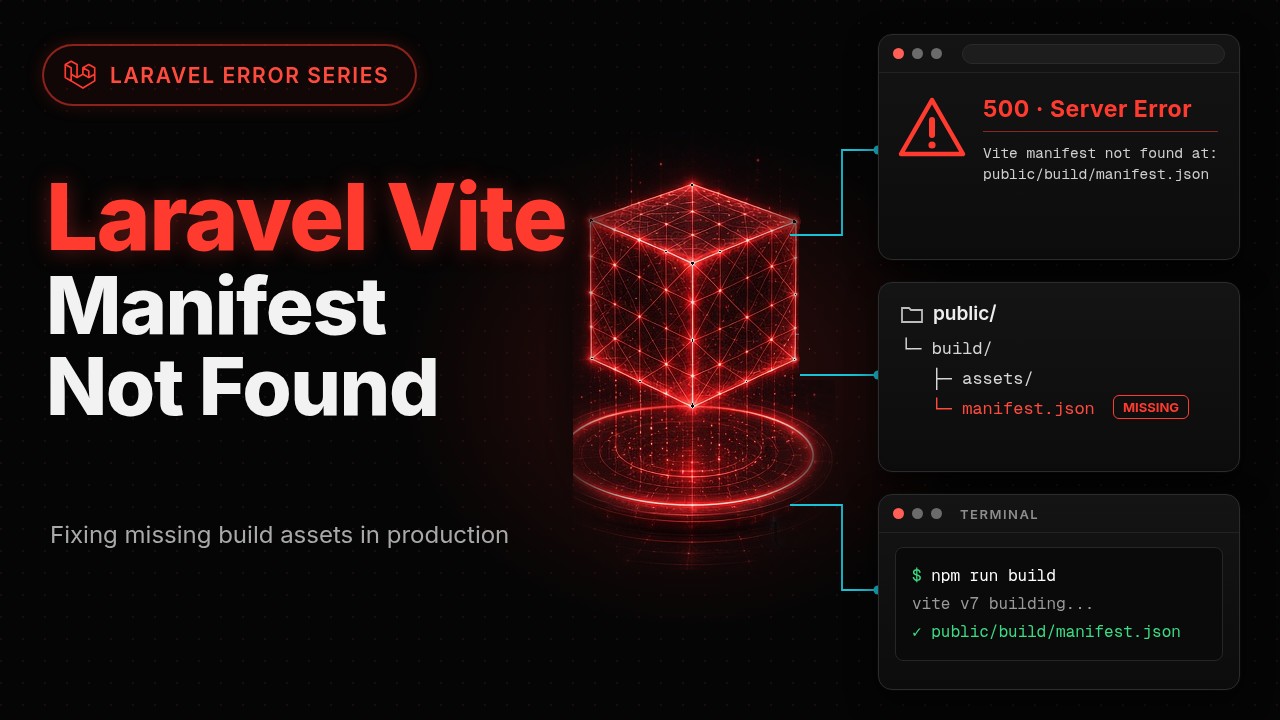
You push your code, run git pull and composer install on the server, and open the site. Instead of your homepage you get a 500, and the log (or Laravel's error page) says:
Vite manifest not found at: /var/www/your-app/public/build/manifest.json
Locally everything is fine, because there you either have npm run dev running or you ran npm run build at some point. On the server, the file Laravel is looking for simply isn't there. Laravel's "Vite manifest not found" error is not a framework bug. It means the frontend build output (the public/build folder) was never created, or was created somewhere Laravel isn't looking. This guide first shows exactly where the error comes from, then walks through three real ways to build your assets and get them onto the server: building on the VPS itself, building in GitHub Actions, and building on your own machine for shared hosting without Node.
Where exactly does this error come from?
In Blade you load your assets with the @vite directive:
<head>
    @vite(['resources/css/app.css', 'resources/js/app.js'])
</head>
According to the official Laravel Vite documentation:
The
@vitedirective will automatically detect the Vite development server and inject the Vite client to enable Hot Module Replacement. In build mode, the directive will load your compiled and versioned assets, including any imported CSS.
So @vite has two modes:
- Dev mode: if a
public/hotfile exists (npm run devcreates it), Laravel doesn't touch the manifest at all. It points the tags at the dev server URL written inside that file (for examplehttp://localhost:5173). - Build mode: if there's no
public/hot, Laravel readspublic/build/manifest.jsonto find out which hashed file (for exampleassets/app-xxxx.js)resources/js/app.jswas built into.
The exception itself is thrown by the Illuminate\Foundation\Vite class (the class behind @vite and the Vite facade), in its manifest() method. A trimmed version of the framework code:
protected function manifest($buildDirectory)
{
    $path = $this->manifestPath($buildDirectory);

    if (! isset(static::$manifests[$path])) {
        if (! is_file($path)) {
            throw new ViteManifestNotFoundException("Vite manifest not found at: $path");
        }

        static::$manifests[$path] = json_decode(file_get_contents($path), true);
    }

    return static::$manifests[$path];
}
A few things follow from those lines:
- The path is built from
public_path()+ the build directory (defaultbuild) + the manifest filename (defaultmanifest.json). So the path in the error message is exactly where Laravel looked. Your first job is to compare it with where your build actually lives. - Since Laravel 11,
ViteManifestNotFoundExceptionextendsViteException(and is marked deprecated in the source), so catchingViteExceptionalso catches this one. - If you changed the build directory (for example with
Vite::useBuildDirectory('bundle')or the second argument of@vite), Laravel looks forpublic/bundle/manifest.json.useBuildDirectory()doesn't throw anything itself; it only changes the path. Ifvite.config.js(the Laravel plugin'sbuildDirectoryoption) doesn't use the same value, the manifest ends up somewhere else and you get this error.
Two similar errors that often get mixed up with this one:
| Message | What it means |
|---|---|
Vite manifest not found at: ... |
No manifest file at that path (this article) |
Unable to locate file in Vite manifest: resources/js/app.js. |
The manifest exists but doesn't contain that entry: either the manifest is stale or the file isn't in the Laravel plugin's input in vite.config.js |
Unable to locate file from Vite manifest: ... |
Only when Vite::content() (inlining an asset) is called and the built file isn't on disk |
Why does it work locally but not on the server?
The usual causes:
public/buildnever reached the server. Laravel's default.gitignorecontains both/public/buildand/public/hot. If your deploy is justgit pull, the build never travels with the code and has to be produced somewhere else.- The build exists, but in the wrong place. Most common on shared hosting: you copied the contents of
publicintopublic_html, but Laravel'spublic_path()still points to.../your-app/public. - The build ran on the server but failed. For example Node is too old, or dependencies were installed without devDependencies. If
vite buildexits with an error, no manifest is written.
There's also one case that does not throw this error but is often confused with it: a leftover public/hot file on the server. Then Laravel skips the manifest and points the tags at the dev server (for example localhost:5173). You get a page with no CSS or JS, not a manifest error. It usually happens when someone ran npm run dev on the server or uploaded the hot file by hand.
Diagnose first: where is the manifest?
Before touching CI or config, run these from the project root on the server:
# 1. Does the build folder exist?
ls -la public/build/

# 2. Is manifest.json there, and does it have content?
head -c 500 public/build/manifest.json

# 3. Is a hot file (dev server) left behind?
ls -la public/hot 2>&1

# 4. Which path exactly is Laravel looking at?
php artisan tinker --execute="echo public_path('build/manifest.json');"
How to read the results:
- No
public/build: the build never ran or never reached the server. Pick one of the three fixes below. - The folder exists but the manifest is missing or empty: the build failed partway. Read the full
npm run buildoutput (see "Common errors"). - The path from command 4 differs from where you put the build: it's a public path problem (see the shared hosting section).
public/hotexists: delete it. It has no purpose in production:
rm -f public/hot
Another quick check: open https://your-domain.com/build/manifest.json in a browser. The file is public, so if it's in place you'll see JSON; a 404 means it isn't in the public folder your web server serves.
Which fix fits your setup?
| Platform | Criterion | Recommended fix |
|---|---|---|
| Linux VPS with SSH access | You can install Node | Build on the VPS (simplest) |
| Any platform, especially with a team | You want reproducible, automated builds | Build in GitHub Actions |
| Shared hosting (cPanel, DirectAdmin) without Node | Limited access, no SSH or Node | Build locally + upload public/build |
| Laravel Forge or Ploi | Managed server | Make sure the panel's deploy script runs npm ci and npm run build |
| Docker | App runs in a container | Build in a separate Dockerfile stage (see the FAQ) |
Rule of thumb: if Node is on the server, build there. If it isn't, or you want every deploy to be reproducible, use CI. If neither is available, build on your own machine.
Fix 1: Build on the VPS
Install the right Node version
First check whether Node is installed at all. Ubuntu and Debian don't ship it by default, and the version in the default repositories may be too old for Vite:
node --version
npm --version
According to the Vite docs, Vite requires Node.js 20.19+ or 22.12+ (Laravel 12's default package.json uses Vite 7, Laravel 13's uses Vite 8). Node 20 also reached end of life in April 2026 according to the Node.js release table, so use an active LTS such as 22 or 24 on the server. With nvm:
curl -o- https://raw.githubusercontent.com/nvm-sh/nvm/v0.40.8/install.sh | bash
source ~/.bashrc
nvm install 24
(Check nvm's README for the latest script version before running it.)
Run the build
# On the server, inside the project root
cd /var/www/your-app

# Install exact dependencies from package-lock.json
npm ci --no-audit --no-fund

# Production build
npm run build
⚠️ Don't add --omit=dev or NODE_ENV=production here. In Laravel's default package.json, vite, laravel-vite-plugin and tailwindcss are all devDependencies; if they aren't installed, the build dies with Cannot find module.
A successful run looks something like this (version, hashes and sizes will differ in your project):
vite v7.x.x building for production...
✓ NN modules transformed.
public/build/manifest.json             x.xx kB │ gzip: x.xx kB
public/build/assets/app-[hash].css    xx.xx kB │ gzip: x.xx kB
public/build/assets/app-[hash].js     xx.xx kB │ gzip: xx.xx kB
✓ built in x.xxs
If there's no public/build/manifest.json line, or the build ended with an error, no manifest was written.
What needs to be on the server?
After the build, only these matter:
public/build/manifest.json
public/build/assets/   (hashed CSS and JS files)
node_modules is only needed to produce the build; Laravel doesn't use it at runtime.
Checklist before you call the deploy done
# ✓ Is the manifest there?
test -f public/build/manifest.json && echo "OK" || echo "MISSING"

# ✓ Was at least one CSS or JS file built?
ls public/build/assets/ | grep -E '\.(css|js)$' > /dev/null && echo "OK" || echo "EMPTY"

# ✓ Is the hot file gone?
test ! -f public/hot && echo "OK" || echo "HOT FILE EXISTS"

# ✓ Owner and permissions
ls -l public/build/manifest.json
The owner doesn't have to be www-data. What matters is that the PHP-FPM user and the web server can read the files (for example 644 for files and 755 for directories is enough).
Fix 2: Build in GitHub Actions
If you want every deploy built from the same clean environment, or you don't want Node on the server, let CI do the build. This section only covers building and shipping public/build; the deploy user, SSH keys and secrets are assumed to be set up already.
The workflow
# .github/workflows/deploy.yml
name: Build and Deploy

on:
  push:
    branches: [main]

jobs:
  build:
    runs-on: ubuntu-latest
    steps:
      - uses: actions/checkout@v4

      - name: Setup Node
        uses: actions/setup-node@v4
        with:
          node-version: '24'
          cache: 'npm'

      - name: Install dependencies
        run: npm ci

      - name: Build assets
        run: npm run build
        # If your JS uses VITE_ variables, provide them here:
        # env:
        #   VITE_APP_NAME: ${{ vars.VITE_APP_NAME }}

      - name: Verify manifest exists
        run: |
          test -f public/build/manifest.json || (echo "Manifest missing!" && exit 1)
          test -d public/build/assets || (echo "Assets dir missing!" && exit 1)

      - name: Upload build artifact
        uses: actions/upload-artifact@v4
        with:
          name: vite-build
          path: public/build
          retention-days: 7

  deploy:
    needs: build
    runs-on: ubuntu-latest
    steps:
      - name: Download build artifact
        uses: actions/download-artifact@v4
        with:
          name: vite-build
          path: public/build

      - name: Upload build to server
        uses: appleboy/scp-action@v1
        with:
          host: ${{ secrets.SERVER_HOST }}
          username: ${{ secrets.SERVER_USER }}
          key: ${{ secrets.SSH_PRIVATE_KEY }}
          source: "public/build"
          target: "/var/www/your-app/public/build-new"
          strip_components: 2
          rm: true

      - name: Swap build on server
        uses: appleboy/ssh-action@v1
        with:
          host: ${{ secrets.SERVER_HOST }}
          username: ${{ secrets.SERVER_USER }}
          key: ${{ secrets.SSH_PRIVATE_KEY }}
          script: |
            set -e
            cd /var/www/your-app
            test -f public/build-new/manifest.json
            rm -rf public/build-old
            if [ -d public/build ]; then mv public/build public/build-old; fi
            mv public/build-new public/build
            rm -f public/hot
A few notes on this workflow:
- Verification runs before the upload. If no manifest was built, the first job fails and the deploy job never runs, so the site never goes live without a manifest.
- The build is uploaded to
build-newfirst and then swapped in withmv. If yourm -rf public/buildand then upload, the site runs without assets for a while. The previous build stays inbuild-old, so a cached page that still points to old hashes doesn't get 404s. VITE_variables are baked into the JS at build time, not at runtime. If you useimport.meta.env.VITE_..., they must have values in this step (Vite docs on env variables).- If you want zero half-finished states, swap the whole release with a symlink (atomic deploy) instead of just the build folder.
- If you run Laravel Octane, the manifest is cached in a static property and workers live between requests; reload them after deploy with
php artisan octane:reload.
Tests in CI throw the same error
If your CI runs PHPUnit or Pest before building, and a test renders a view that uses @vite, you'll get the same Vite manifest not found. According to the Laravel docs, either run npm run build before the tests or call $this->withoutVite() in your tests.
Cost
According to GitHub's Actions billing docs, standard GitHub-hosted runners are free for public repositories. Private repositories get a monthly quota depending on the plan (for example, GitHub Free includes 2,000 minutes and 500 MB of artifact storage per month). The retention-days: 7 above keeps old artifacts from eating that storage.
Fix 3: Build locally and upload public/build (shared hosting without Node)
Many shared hosts give you neither Node nor full SSH. In that case you build on your own machine and upload only the output.
Build locally
# On your machine, inside the project root
node --version    # an active LTS, e.g. 22 or 24

npm ci
npm run build

# Compress the output
cd public
zip -r build.zip build/
If you have a public/hot file locally (because npm run dev is running), make sure you don't upload it along with everything else.
Upload
Through the panel's File Manager or SFTP:
- Upload
build.zipinto the same public folder Laravel actually uses. - Extract it so you get
build/manifest.jsonandbuild/assets/. - Delete the zip file.
The key point: the public path on shared hosting
A common layout is Laravel's code in /home/user/your-app and the site's web root in public_html. If you copied the contents of public into public_html, Laravel still thinks public_path() is /home/user/your-app/public and looks for /home/user/your-app/public/build/manifest.json; the error message shows exactly that path.
You have two options:
- put the build where the error message says, or
- tell Laravel where the real public folder is. On Laravel 11+, in
bootstrap/app.php:
$app = Application::configure(basePath: dirname(__DIR__))
    // ->withRouting(...) and the rest of your current config
    ->create();

// Adjust the path to match your host's layout
$app->usePublicPath(dirname(__DIR__, 2).'/public_html');

return $app;
Checklist without SSH
- In File Manager, check that
build/manifest.jsonand thebuild/assets/folder sit next to the site'sindex.php. - Open
https://your-domain.com/build/manifest.jsonin a browser; you should see JSON. - Make sure there's no file called
hotnext toindex.php.
You don't need to upload node_modules, package.json or package-lock.json; they play no role at runtime.
Comparing the three methods
| Criterion | Build on VPS | GitHub Actions | Local build + upload |
|---|---|---|---|
| Setup effort | Easy | Medium | Easy |
| Automation | With a deploy script | Full | Manual |
| Reproducibility | Medium (depends on the server's Node) | High (clean environment every run) | Low (depends on your machine) |
| Node needed on the server? | Yes | No | No |
node_modules cache |
No | Yes (cache: 'npm') |
No |
| Best for | Solo project on a VPS | Teams or automated deploys | Shared hosting |
| Extra cost | None | Free for public repos; private repos use the plan's quota | None |
Common errors and fixes
Error 1: EACCES: permission denied, mkdir '/var/www/.npm'
This usually shows up when you run npm as the web server user (for example sudo -u www-data npm ci). That user's home is usually /var/www, which it can't write to, so npm can't create its .npm cache folder.
# Better: run the build as the deploy user that owns the project
cd /var/www/your-app
npm ci
npm run build

# Or, if you must run it as another user, change the cache path for that run
npm ci --cache /tmp/npm-cache
Error 2: Cannot find module 'tailwindcss' (or vite, laravel-vite-plugin) during the build
First check whether dependencies were installed without devDependencies (npm ci --omit=dev, npm install --production or NODE_ENV=production). The build tools live in devDependencies and must be installed. If that's not it, do a clean install:
rm -rf node_modules
npm ci
Don't delete package-lock.json. npm ci installs exactly from that file; deleting it means the server may end up with different package versions than your machine.
Error 3: The build succeeds but the site is still broken
- Still getting
Vite manifest not found: compare the path in the error with where the build is (see "Diagnose first"). It's almost always a mismatch in the public path or build directory. - The page has no CSS or JS and requests go to
localhost:5173or[::1]:5173: apublic/hotfile is left behind; delete it. - You're on Octane: workers still hold the old manifest in memory; run
php artisan octane:reload. - JS and CSS files return 404: the page HTML comes from a cache (full-page cache or CDN) and points to hashes from a build you deleted. Purge the cache and keep the previous build around for a while (like
build-oldin the workflow above).
Error 4: Files load but the browser won't apply the CSS or run the JS
Check the Console and Network tabs in DevTools:
- Mixed Content error: the site is on HTTPS but the asset URLs are
http://. Usually Laravel, sitting behind a proxy or CDN, doesn't know the request was HTTPS. That's the same issue covered in the trustProxies section of our guide to fixing Laravel 419 Page Expired. If you serve assets from another domain, also checkASSET_URL. - MIME type message (for example
text/plain): in your Nginx config, thehttpblock should haveinclude /etc/nginx/mime.types;. - Content Security Policy error: if you use a CSP, add your asset domain or a nonce to it. Laravel adds a nonce to the tags
@vitegenerates when you callVite::useCspNonce().
FAQ
1. Why does npm run build work locally but not in CI or on the server?
Three common reasons: (a) a different Node version; always set node-version explicitly in GitHub Actions. (b) The VITE_ variables you have in your local .env aren't defined in CI. (c) devDependencies weren't installed (Error 2).
2. Can I commit public/build to git?
You can, but it's not recommended. Build files change with every change, clutter the repository history, and there's always a risk that the committed build doesn't match the code. Laravel also puts /public/build in .gitignore by default. If you're on shared hosting without CI, the manual upload method above is cleaner.
3. How do I build in Docker?
Use a multi-stage Dockerfile:
# Stage 1: build assets
FROM node:24-alpine AS assets
WORKDIR /app
COPY package*.json ./
RUN npm ci
COPY . .
RUN npm run build

# Stage 2: production
FROM php:8.4-fpm
WORKDIR /var/www/html
COPY . .
# Copy the build after the code so nothing overwrites it
COPY --from=assets /app/public/build ./public/build
The final image has no Node, and the build is produced from scratch every time. Also list node_modules, public/build and public/hot in .dockerignore. (PHP extensions and composer install are left out of this example.)
4. Is Vite different from Laravel Mix?
Yes. Since Laravel 9.19, new Laravel projects use Vite instead of Mix (which is built on webpack). Mix produced mix-manifest.json and you used mix() in Blade; with Vite you use @vite() and the manifest is written to public/build/manifest.json. If you migrated an old project and still have mix() calls somewhere, replace them too.
5. How do I install Node on the server without nvm?
With NodeSource packages:
curl -fsSL https://deb.nodesource.com/setup_24.x | sudo -E bash -
sudo apt install -y nodejs
Before piping any script from the internet into bash, take a look at what it does.
6. Should I commit package-lock.json?
Yes, always. npm ci won't run without package-lock.json (or when it's out of sync with package.json), and without a lock file every build may pull different package versions.
If I had to sum up this article in one sentence: read the path in the error message, check whether public/build/manifest.json is really there, then pick one consistent way to build (on the VPS, in CI, or on your machine) and make every deploy verify the manifest is in place. Correct, lean assets aren't only about fixing errors; they also affect page speed and Core Web Vitals, which the Vite section of our Laravel technical SEO guide covers.
Deploy still failing? Paste the full error, your npm run build output and vite.config.js into Nyx, Captain Code's AI assistant, and work through where the build gets lost step by step. If you'd rather have the whole pipeline (build, deploy and server upkeep) set up properly once so you can stop thinking about it, that's what website security and maintenance and custom Laravel development are for; just send us your project.
If you're still learning backend and deployment and wondering where all of this fits, read Frontend, Backend, or Full-Stack? and the best programming languages to learn in 2026.
Questions, or stuck somewhere? Ask in the comments.