
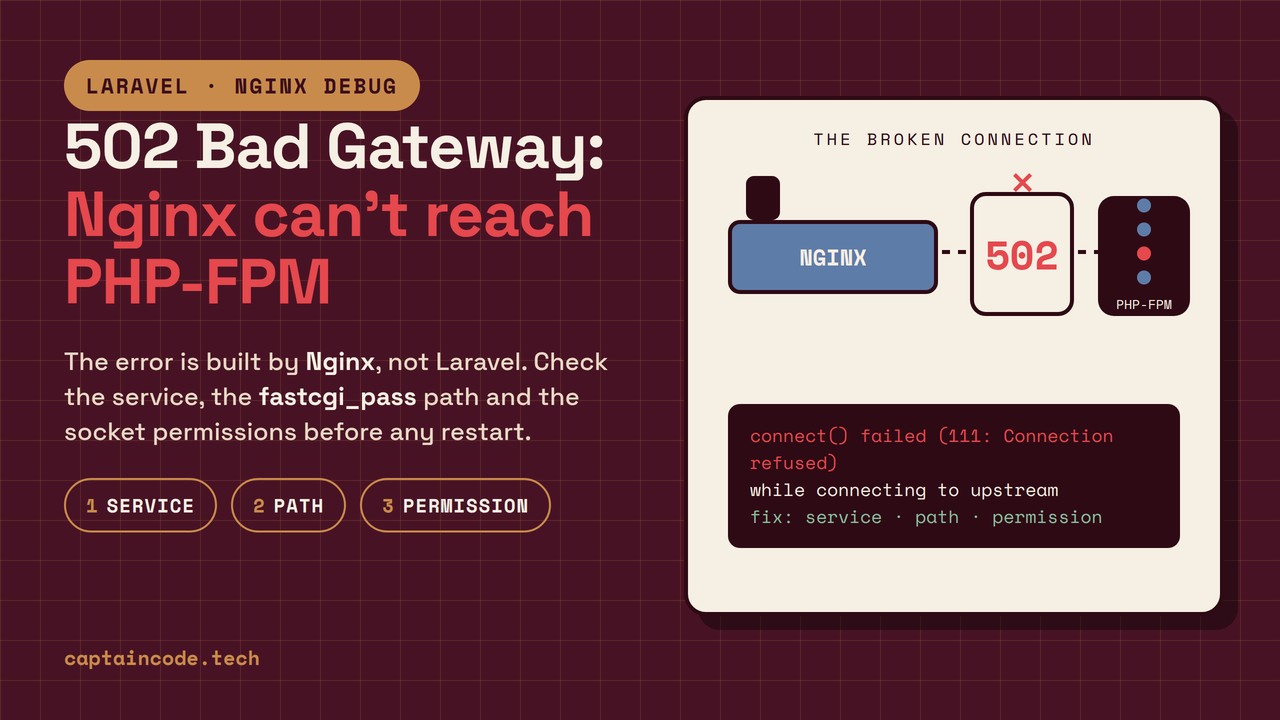
A 502 Bad Gateway means Nginx could not connect to PHP-FPM or received an invalid response; the error is generated by Nginx, not Laravel. So if you see a 502 while storage/logs/laravel.log stays empty, the request never reached PHP and you should read the Nginx error log. Before any blind systemctl restart, check these three things in this order: (1) is the PHP-FPM service alive? (2) does the socket path or TCP port you wrote in fastcgi_pass actually exist? (3) are the socket's ownership and permissions correct? In this article you will see exactly where in the path the request is stuck, which log to read and which command to run, plus one important detail: what looks like a 502 is sometimes really a 504 Gateway Timeout, and the cause is different.
What exactly is a 502, and where does it come from?
When Nginx hands a PHP request to FPM through fastcgi_pass, three things can break: the connection, reading the response header, and the response arriving within the allowed time. Nginx behaves differently in each case:
| What you see in the Nginx error log | What it means | Which error it usually produces |
|---|---|---|
connect() failed (111: Connection refused) while connecting to upstream |
FPM is stopped, or the fastcgi_pass path/port is wrong |
502 |
connect() failed (13: Permission denied) while connecting to upstream |
Nginx is not allowed to open the socket | 502 |
upstream sent too big header |
The response header is larger than fastcgi_buffer_size |
502 |
recv() failed (104: Connection reset by peer) |
FPM restarted mid-response | 502 |
no live upstreams while connecting to upstream |
The upstream block is empty or all of its servers failed |
502 |
upstream timed out (110: Connection timed out) |
The response did not arrive in time | usually 504 |
The 502/504 split comes straight from the Nginx source: a timeout ends in NGX_HTTP_GATEWAY_TIME_OUT (504) while the other failures end in NGX_HTTP_BAD_GATEWAY (502) (ngx_http_upstream.c). Practical result: if the site hangs for a while and then errors out, look for a timeout; if it errors instantly, look for a connection problem.
Why do Laravel projects hit this more often?
Laravel plays no role in the 502 itself; the problem lives in the Nginx ↔ PHP-FPM layer. Still, three common habits of Laravel projects raise the odds:
- Large response headers: with Livewire or Inertia and many cookies, the response header can exceed Nginx's default
fastcgi_buffer_size(which the Nginx docs define as4k|8k), so you getupstream sent too big header. - The worker pool runs out: slow queries or heavy queues can keep FPM busy up to its
pm.max_childrenlimit; new requests then time out or get no response. If you have not tuned queues yet, start with Fixing Laravel Queues with Supervisor; stuck workers are one of the heaviest loads on FPM. - Operations on production: running
composer installor migrations as root can change file and socket ownership, and Nginx can no longer connect.
First, identify which platform you are on
The request path differs per environment, and that is the main reason debugging stalls:
| Platform | How PHP is reached | Where the 502 usually comes from |
|---|---|---|
| VPS with Nginx + FPM | fastcgi_pass unix:/run/php/php8.3-fpm.sock or fastcgi_pass 127.0.0.1:9000 |
Wrong socket path (especially after a PHP upgrade), permissions, FPM stopped |
| cPanel / DirectAdmin | The panel manages FPM; each user has its own pool | You cannot change pool settings directly; follow up through the panel's PHP management or your host's support |
| Docker | fastcgi_pass app:9000 (TCP between containers) |
Wrong service name in docker-compose.yml, or the FPM container is in a restart loop |
On a VPS the overall path is:
Browser → Nginx (:80/:443)
   ├─ serves static files from public/
   └─ other requests → fastcgi_pass unix:/run/php/php8.3-fpm.sock
        → FPM pool (up to pm.max_children workers)
        → Laravel (public/index.php) → response to Nginx → browser
Two facts from the PHP source itself: in php-src's www.conf.in, the default listen is 127.0.0.1:9000 and the suggested listen.mode is 0660; but Ubuntu packages usually configure a unix socket such as /run/php/php8.3-fpm.sock. So what your server actually uses must be read from your own pool config, not guessed.
Step 1: diagnose without restarting
These commands change nothing; the goal is to find exactly where the path is broken:
# 1. PHP-FPM service status (adjust the PHP version)
sudo systemctl status php8.3-fpm --no-pager

# 2. Does the socket exist at all?
ls -la /run/php/

# 3. Socket ownership and permissions
stat /run/php/php8.3-fpm.sock

# 4. Where does Nginx point? (nginx -T dumps all included configs)
sudo nginx -T 2>/dev/null | grep fastcgi_pass

# 5. The latest errors
sudo tail -n 50 /var/log/nginx/error.log
How to read the output:
systemctl status:active (running)means the service is fine and the problem is elsewhere.inactive (dead)orfailedmeans runjournalctl -xeu php8.3-fpm --no-pager; it usually reveals a syntax error in the pool config.ls /run/php/: if the socket file is missing, the service never started orlistenin the pool config points elsewhere. Make sure the path shown bynginx -Tmatches the real file; a mismatch between the two is the most common cause of a 502 right after a PHP upgrade. By the way,nginx -Tis not just for fastcgi; it surfaces other Nginx config problems too, such as Laravel's 404 storage link error in Nginx.stat: healthy output on Ubuntu looks likeAccess: (0660) Uid: ( 33/www-data) Gid: ( 33/www-data); if the group does not match the Nginx worker user, you get thePermission deniederror.- One more direct test, without Nginx: open a clean connection to FPM itself with
cgi-fcgi(part of thelibfcgi-binpackage on Ubuntu):
sudo cgi-fcgi -bind -connect /run/php/php8.3-fpm.sock || echo "SOCKET FAIL"
sudo cgi-fcgi -bind -connect 127.0.0.1:9000 || echo "TCP FAIL"
If SOCKET FAIL or TCP FAIL prints, the problem is in FPM itself, not the Nginx config; before changing anything, read the FPM log and journalctl.
Step 2: quick fix (when you are having downtime)
The rule for this stage: know why you are restarting. Every blind restart cuts in-flight requests.
2.1 If FPM is stopped
sudo systemctl start php8.3-fpm
sudo systemctl enable php8.3-fpm
If it fails to start, read journalctl -xeu php8.3-fpm --no-pager for a syntax error, fix it, and start again.
2.2 If you see Permission denied
Let Nginx reach the socket. You have two options: add the Nginx worker user to the socket's group, or set the socket ownership in the pool config:
# /etc/php/8.3/fpm/pool.d/www.conf
listen.owner = www-data
listen.group = www-data
listen.mode = 0660
Then:
sudo systemctl reload php8.3-fpm
Key point: reload re-reads the config and, unlike a restart, does not interrupt in-flight requests. For most fixes a reload is enough.
2.3 If every site returns 502 after a PHP upgrade
After upgrading from PHP 8.2 to 8.3, the socket path changes from php8.2-fpm.sock to php8.3-fpm.sock, but the Nginx config still points at the old path:
# Current socket paths
ls /run/php/

# Fix the config, and always test before reloading
sudo sed -i 's|php8.2-fpm.sock|php8.3-fpm.sock|g' /etc/nginx/sites-enabled/*
sudo nginx -t && sudo nginx -s reload
Always run nginx -t first; if there is a syntax error, the reload is refused, the old config stays in place, and the site does not go down.
Step 3: root causes, when the 502 keeps coming back
If the quick fix worked but the 502 returns later, you have a structural cause. Three of the most common:
3.1 Tuning the pool's pm.* values
The defaults in php-src's www.conf are pm = dynamic, pm.max_children = 5, pm.start_servers = 2, pm.min_spare_servers = 1, pm.max_spare_servers = 3 and pm.max_requests = 0; a small pool with no worker recycling. For a Laravel site, raise these based on your server's RAM. As a hypothetical example (not a copy-paste recipe): a 4 GB RAM server with roughly 2 GB for PHP, assuming 50 MB per request, works out to about pm.max_children = 40, plus some headroom:
# Example only; set the numbers from your server's real RAM
pm = dynamic
pm.max_children = 40
pm.start_servers = 10
pm.min_spare_servers = 5
pm.max_spare_servers = 20
pm.max_requests = 500
pm.max_requests recycles each worker after n requests, which contains potential memory leaks in third-party libraries. Remember: editing these files changes nothing by itself; run systemctl reload php8.3-fpm so the master process re-reads the config.
3.2 Header buffer size in Nginx
Per the Nginx docs, the defaults are fastcgi_buffer_size 4k|8k and fastcgi_buffers 8 4k|8k (the 4k or 8k unit depends on the OS page size). Laravel's response headers (especially with Inertia) can be larger than that:
# in an http, server or location block
fastcgi_buffers 16 16k;
fastcgi_buffer_size 32k;
Tune these to your real header sizes, not to an arbitrary maximum.
3.3 OPcache after a deploy
From php-src, OPcache's defaults are opcache.enable = 1, opcache.validate_timestamps = 1 and opcache.revalidate_freq = 2. Files are checked every 2 seconds by default, so after a deploy the new code eventually loads. But if someone set opcache.validate_timestamps = 0 anywhere, PHP keeps serving the old code from memory until the next reload; that produces strange post-deploy behavior. For frequent deploys, run systemctl reload php8.3-fpm after each one so the new code is definitely served.
3.4 How to notice faster next time
Since Laravel 11 there is a built-in health route at /up (Laravel 12.x Deployment docs): it returns 200 if the application has booted without exceptions and 500 otherwise. You can set up a simple once-a-minute check that alerts you when a healthy response stops coming:
# in crontab; every minute
* * * * * curl -fsS http://localhost/up >/dev/null || echo "502 ALERT: site down"
Remember this line only fires if your server's crontab is set up correctly; after adding it, watch the output for a few minutes to confirm it really works.
Quick reference: one action per error
| Nginx error | Meaning | Main action |
|---|---|---|
Connection refused |
FPM stopped or wrong path | systemctl status php8.3-fpm and ls /run/php/ |
Permission denied |
Socket ownership | Set listen.owner/group in the pool and reload |
upstream sent too big header |
Header larger than the buffer | Raise fastcgi_buffer_size and fastcgi_buffers |
Connection reset by peer |
FPM restarted mid-response | Check the FPM log and journalctl |
no live upstreams |
Empty upstream or all failed | Review the upstream block and fastcgi_pass |
upstream timed out |
Slow response (usually 504) | Manage slow queries and pool capacity |
When is a full restart actually needed?
A reload is enough for most fixes. A full restart is usually needed when:
- You made a structural change to
php.ini(such asmemory_limit). - You installed a new PHP extension.
- You changed OPcache settings substantially.
And never kill -9 FPM processes; it cuts active requests mid-flight and can leave the service in a worse state. Test frequent code changes somewhere like staging before production; for common post-deploy errors, see Fixing the Vite manifest error in production.
FAQ
1. What is the difference between 502 and 504?
502 means Nginx could not connect or got an invalid response; 504 means it connected but the response did not arrive within fastcgi_read_timeout (60 seconds by default). If the site hangs for a few seconds before erroring, it is probably a 504 and you should look at timeouts and slow code.
2. Why is storage/logs/laravel.log empty while the site returns 502?
Because the 502 happens before the request reaches PHP; the failure is in the Nginx-to-FPM connection layer. Read the Nginx error log (/var/log/nginx/error.log); the connect() failed or upstream sent too big header patterns are right there.
3. How do I know if PHP-FPM uses a socket or TCP?
Look for listen in the pool config (for example /etc/php/8.3/fpm/pool.d/www.conf). If it starts with unix:, it is a socket; if it is 127.0.0.1:9000, it is TCP. php-src's own default is TCP, and Ubuntu packages usually set a socket.
4. Every site returns 502 after a PHP upgrade. What now?
Almost always the socket path in the Nginx config is outdated. Find the new path with ls /run/php/, fix fastcgi_pass, then run nginx -t and nginx -s reload.
5. Does changing pm.max_children apply without a reload?
No. The value is written in the pool file but stays inactive until FPM re-reads the config. Run systemctl reload php8.3-fpm; unlike a restart, a reload does not interrupt active requests.
6. What is the /up route and what does it have to do with 502?
Since Laravel 11 there is a built-in health route that returns 200 when the app boots without exceptions and 500 otherwise. If /up errors while other routes return 502, the problem is in the Nginx-to-FPM connection, not one specific route.
Wrap-up
Nginx generates the 502, not Laravel; the check order is always the same: the PHP-FPM service, the path and type of connection in fastcgi_pass, socket ownership and permissions, then buffer size and pool capacity. With this order you resolve most cases without a blind restart. If you want faster debugging, try Nyx; and if you have a Laravel project whose troubleshooting has become heavy, tell us via Captain Code's contact page.